
Music file organization is one of the most important steps in maintaining a clean and usable digital music collection. As people download music, rip CDs, or transfer songs from different devices, the library can quickly become messy and difficult to manage.
Files may appear in random folders, album tracks may play in the wrong order, and searching for a specific song may take longer than it should.
Implementing proper Music file organization helps prevent these problems and keeps a music archive structured and easy to navigate. A well-organized music archive allows listeners to find artists, albums, and songs instantly.
Instead of browsing through multiple folders, users can quickly access the exact file they need. Proper Music file organization also ensures that music players display albums correctly, maintain track order, and support playlists across different devices.
Another major advantage of good organization is cross-device compatibility. Music collections are often used on computers, smartphones, tablets, and car audio systems. When files are structured properly, these devices can read the library consistently.
Without clear Music file organization, songs may appear as separate albums or incorrect artists when transferred between systems. Maintaining a structured archive also saves time in the long run.
Duplicate files can be removed easily, metadata errors can be corrected quickly, and backups become much easier to manage. This reduces the frustration that often comes with large and unorganized music collections.
For anyone who values their digital music library, establishing reliable Music file organization practices ensures that the collection remains accessible, consistent, and easy to maintain as it grows over time.
Building A Folder Structure That Stays Easy To Manage Over Time

A logical folder structure is the foundation of good Music file organization. When a library grows into thousands of songs, clear organization becomes essential for maintaining control over the collection.
The most widely used structure is based on artist and album hierarchy. In this approach, a main “Music” folder contains individual folders for each artist.
Inside those artist folders, albums are organized in separate subfolders. This structure keeps collections clean and easy to navigate even when the number of songs increases.
For example, a typical layout might look like this:
Music
Artist Name
Album Name
Track Files
This system works well because it mirrors how listeners naturally think about music collections. When users search for an album, they already expect to find it under the artist’s name.
With proper Music file organization, browsing through folders becomes intuitive. Some people prefer organizing by genre first. While this method can work for smaller libraries, it often becomes complicated as artists release music in multiple genres.
Over time, genre-based structures can create confusion and duplicate folders. Consistency is the most important principle. Once a structure is chosen, it should be used for the entire library.
Changing formats halfway through the archive can make organization harder instead of easier. When implemented correctly, a strong folder structure allows a music collection to scale from a few albums to thousands of tracks without becoming difficult to manage.
Music File Organization With Better Naming Rules For Artists, Albums, And Genres
File naming conventions play a key role in effective Music file organization. Even with a well-structured folder system, inconsistent file names can make libraries difficult to read and sort correctly.
A common naming approach uses track numbers followed by song titles. For example:
01 Song Title
02 Song Title
03 Song Title
This format ensures that albums maintain their correct order when sorted alphabetically. Without track numbers, many music players may arrange songs incorrectly. Some users include additional information such as artist names or album titles in the filename.
However, when folders already contain this information, simpler names are often more efficient. Clean filenames help maintain clarity within the archive and support efficient Music file organization. Avoid using overly long file names or unusual characters.
Certain operating systems or music software may struggle with special symbols, which can lead to playback errors or display problems. Another helpful rule is to maintain consistent capitalization and spacing.
For example, using “Artist Name – Album Name – Track Title” consistently across the entire library keeps the archive visually organized. Clear naming rules allow both humans and software systems to interpret the library easily.
When properly implemented, they significantly improve navigation and reduce confusion within large music collections.
Why Metadata Matters: Tags, Artwork, And Searchability Across Devices
Metadata is one of the most important components of Music file organization. While folders and filenames help structure the archive, metadata tags contain the information that music players actually use to categorize and display tracks.
Metadata typically includes fields such as artist name, album title, track number, release year, genre, and album artwork. These tags allow music applications to group songs automatically and present albums correctly.
When metadata is missing or inconsistent, music players may treat tracks as unrelated files. Albums might appear split into multiple sections or songs might appear under the wrong artist.
Proper Music file organization ensures that metadata is complete and consistent across all tracks. Specialized tools such as Mp3tag, MusicBrainz Picard, and other tagging software can automatically retrieve metadata from online databases.
These programs help update tags, add artwork, and standardize formatting across entire libraries. Album artwork is another useful metadata element. Cover images make music libraries visually appealing and improve browsing experiences within media players.
Accurate metadata also improves search functionality. When tags are properly structured, finding songs by artist, album, or genre becomes extremely fast.
In short, metadata transforms a simple collection of audio files into a fully organized music library that functions smoothly across devices.
Music File Organization Tips For Removing Duplicates And Cleaning Up Large Libraries
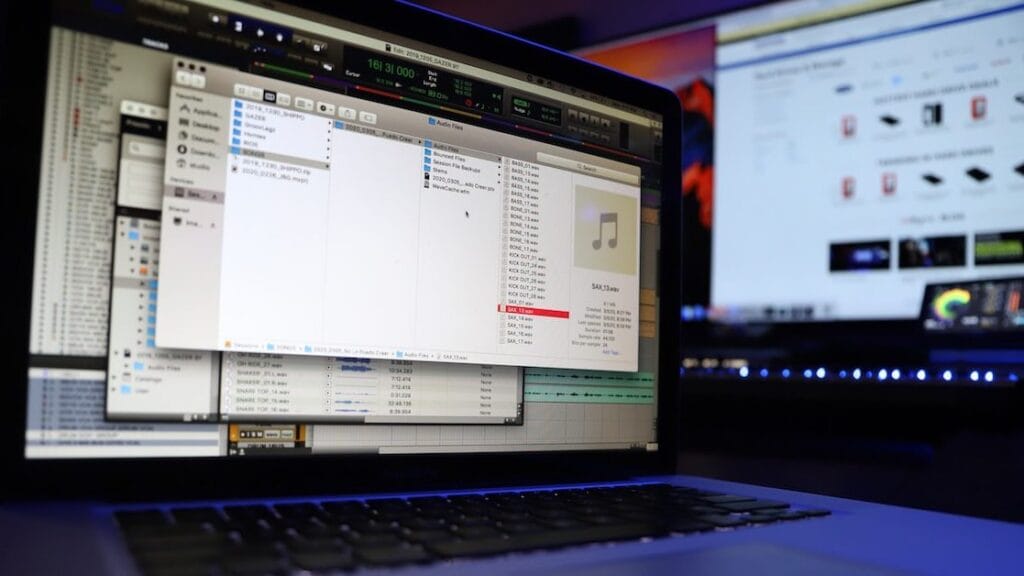
Over time, many music collections accumulate duplicate files. These duplicates often appear when tracks are downloaded from multiple sources, copied from different devices, or imported several times.
Managing duplicates is an essential step in maintaining effective Music file organization. Duplicate songs not only consume storage space but also create confusion within music players.
A track may appear multiple times in playlists or search results, making the library feel cluttered. Several tools are designed to detect duplicate audio files automatically.
Programs like Duplicate Cleaner or Similarity analyze file names, audio fingerprints, and metadata to identify identical tracks. After duplicates are identified, users can remove unnecessary copies while preserving the highest quality version of each song.
This process significantly improves Music file organization by reducing clutter and simplifying navigation. Another useful cleanup strategy is checking audio quality. Some libraries contain multiple versions of the same song in different bitrates.
Keeping only high-quality files ensures a more consistent listening experience. Regular maintenance helps keep large collections efficient and organized.
Removing duplicates and outdated files allows the archive to remain clean and manageable even as it grows.
Backup And Storage Strategies: External Drives, Cloud Sync, And Long Term Protection
Once a library has been carefully structured, protecting it becomes the next priority. Proper Music file organization should always include a reliable backup strategy.
External hard drives are one of the most common backup solutions. Storing a copy of the music archive on a separate drive protects the collection in case the main computer fails. Many users maintain two copies of their libraries for extra security.
Cloud storage services provide another layer of protection. Platforms such as Google Drive, Dropbox, or iCloud allow libraries to be synchronized across multiple devices. Cloud backups ensure that files remain accessible even if physical storage is lost.
Regular backups are essential because digital collections can take years to build. Losing a large library due to hardware failure can be frustrating. Integrating backups into your Music file organization routine prevents this problem.
For long-term archiving, using high-quality audio formats such as FLAC or high-bitrate MP3 can also be beneficial. These formats maintain sound quality and remain widely supported across devices.
Combining local backups, cloud storage, and consistent organization practices ensures that a music archive remains secure, accessible, and easy to manage for many years.
See you in the next post,
Anil UZUN